School Has Begun!

Medical Outreaches

Here we are already at the end of September. The weather here in Nigeria hasn’t changed much in the past 2.5 months. Still raining and still hot and humid! Hope you all are enjoying a bit of fall.

Lots has happened in the last month. Here’s a quick update.

The first two weekends in September we held medical outreaches. We had around 200 people show up the first weekend and another 100 the second. We teamed up with our friend, Dr. Tina, from our church in MN and one of her teammates, as well as the Jason foundation (a group of local doctors who volunteer their time to do medical missions) to serve these people. Those who came for the medical outreach also had the opportunity to take home some gently used clothes that were donated to the ministry over the past year.

On Sunday, September 20, we welcomed our new and returning students back to Hopeful Academy. We had 11 students return, and welcomed 22 new friends to our school. This was a few more than originally planned, but we just felt led to say “yes” to these kids.

Therefore, school has resumed. We’ve modified some things for this session and are looking forward to how God will work. 

As part of the welcome service, all the students were given a gift. We were given bibles from International Bible Givers, based out of Anoka, Minnesota. Therefore all our students were given a Bible of their very own. After the service, so many students were walking around holding those Bibles close. It was so great to see.

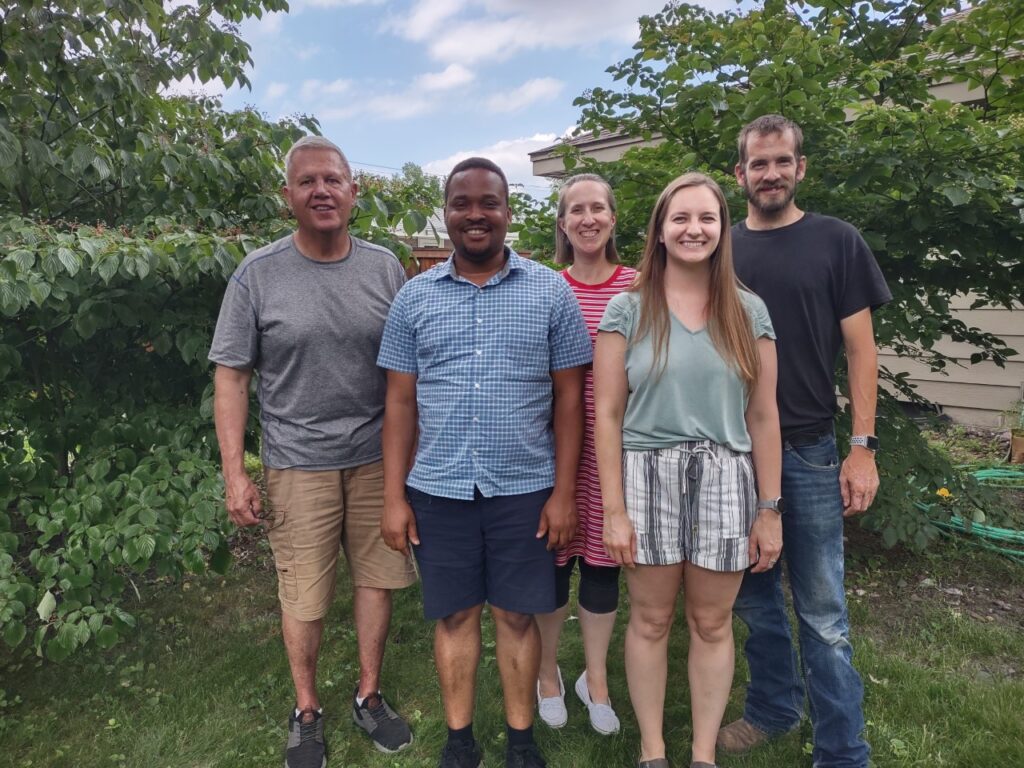
Interestingly, the president of the United Missionary Church of Africa, Reverend Dr. Gbenga Odebiri, heard about what we are doing. He’s stationed much further north, with ministry throughout the northern parts of Nigeria. Last year he brought a few students to our school, and this year we have 6 students coming from this ministry. The north is known for having a much higher poverty level, so these students are truly coming from some very needy homes. (Rev’d Dr. Gbenga and Pastor Mrs. Odebiri, pictured below)

A cool story: We had a student apply and take our entrance exam, and he passed with the highest score of anyone. We didn’t accept him. His family can afford school, and we weren’t willing to compromise our standards for accepting the neediest children just because their family wanted admission. Interestingly, the family came to our welcome service for new students and shared that they were proud that we stood to our standards, and they told the families present what happened, and that their children are blessed to be joining Hopeful Academy. It also turns out they live within walking distance of our school. Both parents hold PhDs and the wife has now volunteered to teach at our school a few days a week. God is good! (Dr. and Dr. Mrs. Shittu with us, below)

A second cool story: earlier this year we needed a lawyer to help us verify a document and someone recommended one for us. After she saw what we were into, she decided she had to join us and has offered her services free of charge to our organization. She came to the welcome service last Sunday, and when we asked why she decided to join us, she said, “I came from a terrible background, there is no reason I should be a lawyer today.” She never went to secondary school, she was used as a maid as a child. It was by the grace of God she studied independently to pass her secondary school exams so she could get admission to university. She worked for years to save enough money to go to school. Today she is a lawyer, and she’s now part of Rescue the Hopeless Mission too. Praise the Lord for his provision once again! (Our lawyer and her husband)

The dormitory is looking great! There are just a few small things that still need to be finished, but the space the students are using today is set. The girls were so excited to have a space of their own that isn’t makeshift. Praise the Lord!

Thank you again for all your support! Please continue to pray for all the pieces that still need to fall into place, the projects that still need to be completed, the teacher training that is ongoing, and a few hiring pieces that still need to be solved. Pray for the staff to really get to know our new students and help them adjust and transition to this place. Pray for the students to feel welcome, loved, cared for, and encouraged. Pray for God to sink deep into their hearts and adopt them into His eternal family. Thank you again for all you do. 

Leave a Reply

Your email address will not be published. Required fields are marked *

Banquet!

It’s May! Where has the time gone?

TOMORROW is our annual fundraising banquet. Are you coming? We hope so! Saturday, May 9, at 10 a.m., we will hear more about what’s been happening in Nigeria with African Hope Ministry. Please join us at Southtown Baptist Church (2600 W 82nd St, Bloomington, MN) for some tasty food, music, and updates about all that is going on. Also, bring a friend!

Remember, our goal is to raise enough funds to finish the girls’ dormitory and get a vehicle to use for the ministry, too. We originally said we needed $20,000 for the dorm, and we are down to $16,986.80, but this estimate was made several months ago. According to our quantity surveyor/engineer, the cost of fuel in Nigeria has skyrocketed, and inflation is just messing with costs. For example, cement, which happens to be a major building material, has significantly increased in cost due to this inflation. We were told this week that we should expect to spend an additional 25% to complete the dormitory, meaning we will probably pay an additional $4,000. Therefore, we still need about $21,000 in total. But the good news is that we have a donor who has given $5,000 in matching funds for this fundraiser, and we’ve already had $1,500 donated toward this purpose. Therefore, to achieve our fundraising goal for the dormitory, we need a balance of $14,500. We thank God for the generous donations so far and believe Him to help us achieve this goal. 

Similarly, the used vehicle we are planning for will cost $10,000. For now, our target is to get a used pick-up or cargo van that will enable us to convey our harvested farm produce, food from the market, and haul things around. This is especially needed as we approach a new school year, when we will need to move additional furniture to our site. Together, we can achieve these goals! Please consider making a donation towards these projects.

Meanwhile, on May 1, a small team of volunteers went out to harvest a portion of our cassava. The harvest was bountiful, praise the Lord!! A truckload is now being processed into Garri, a common local food, that our students and staff can enjoy. As we continue with the harvest, we plan to preserve the cassava produce and possibly sell any excess to raise additional funds for the ministry. This is only the first load; there is more to harvest! We have also started a new planting season. (Check out how long that cassava is, I thought it was a walking stick!)

Thank you again for your prayers and support. We are beyond blessed by every person who prays for this ministry, and those who have given of their time, energy, and money. Thank you for giving to the Lord! We hope to see you next Saturday at the banquet, by God’s grace!

Leave a Reply

Your email address will not be published. Required fields are marked *

Term 2 Complete!

Happy weekend! How are you doing? We are excited to share some updates on what is happening with African Hope Ministry over in Nigeria!

The students of Hopeful Academy finished their second term last week and have gone home for their spring break. (This photo with parents/guardians is from when they were ready to head out!) They have about 3 weeks off and will return at the end of April. It was good to see that they are improving in their grades and overall learning. For student sponsors, we will send a copy of their grades within the next day or two so you can see how your individual student is performing. 

We are looking for more student sponsors for 2026-2027. We will need 30 sponsors for the coming school year. Right now, we have 9 committed. For those who sponsored this past year, please let us know if you would like to continue. For anyone new, please join the party! Thanks to those who have just joined our student sponsorship recently! Sponsorship has been $30 per month ($360 for the year), and that can continue. If you can make it $40 per month ($480 for the year), this will help with inflation. However, if the extra $10 a month is not convenient, please join us at $30/month. Thanks!

Thank you again for your prayers and support. We are blessed by every one of you! You are bringing smiles to the faces of our students, parents, staff, and others in need within and outside the community we serve. God is good!! We hope to see many of you at the banquet in 4 weeks. 

Leave a Reply

Your email address will not be published. Required fields are marked *

Heading to Nigeria!

Happy Sunday! It’s a VERY snowy day in Minnesota, and we are told it was a very toasty day in Nigeria! What a wonderful God we serve!

There are so many exciting things happening!

First, the Ajibero family plans to return to Nigeria in July for a couple of years. So many things are happening with the ministry that we want to be on the ground to experience it and help move things forward! Although we have excellent staff on-site, we spend hours a day directing things there. We are ready to be in the middle of it all!

It is amazing to see how God is orchestrating it all. First, Toba has been teaching at a community college here, and they have offered him a full load of online classes for the fall. Thank you, Jesus! He can keep his foot in the door in his teaching career, remain fully involved in the ministry in Nigeria, and still provide an income for the family. God is good!

At the same time, God has opened a door for Laura and the kids to get involved in another ministry in Ibadan. There is an international Christian school, American Christian Academy, that is located right there. They have had students from almost 60 different countries over the last 30 years, and it’s a great opportunity to share Jesus with the nations! They have offered Laura a teaching job and provided spots for all our children to attend their school, free of charge. (Those of you who have been around a while will remember Laura used to teach at a school in Peru; this school feels very similar!)

If anyone has been interested in working with our ministry in Nigeria but just doesn’t think they can pull it off, and has any interest in teaching, American Christian Academy in Ibadan, Nigeria, is still hiring. They need missionary teachers for their preschool, elementary, and high school English classes. Do you want to come hang out with us in Nigeria? Do you want to teach at American Christian Academy during the week, and join us at Hopeful Academy once a week or for special weekend events? American Christian Academy, Ibadan, provides housing in a secure environment, a stipend for living expenses, and more. (For those who are concerned about Nigeria after all the news, our corner of Nigeria is not the troubled side of the country! We are not worried about our safety, so your safety is not a concern. Above all, globally, God remains our safety.) We’d love to share more about the school and connect you to American Christian Academy, Ibadan, for more info! If you aren’t ready now, please spread the news! Meet the Principal, Karen Nwulu, introducing ACA.

We are also starting to seek more sponsors for our students at Hopeful Academy. To bring in another set of students this fall, we need additional sponsors! We are hoping to have around 30 students to start the new school year. We are praying that God will provide enough sponsors so we can accept these students into our school. We currently know of 6 sponsors planning to renew their sponsorship from this past year, so we need 24 more! Last year, we asked for $30/month ($360 for the year), and that has gone a long way! However, the exchange rate has decreased. Therefore, if people can afford to do $40/month ($480 for the year), that would be great. But if $30 is what you can afford, please still join our sponsorship team!

Thank you again for all the ways God has used each of you in the ministry. Please pray for all that God is doing, the changes coming for the Ajiberos as we transition to Nigeria, the mission opportunities at our ministry in Nigeria and American Christian Academy, for student sponsors and the building of the girls’ dormitory, and for the banquet too. We’d love to hear from you. Blessings!

Leave a Reply

Your email address will not be published. Required fields are marked *

Short ministry update!

Happy weekend, friends! We thank God that things have continued to go well in Nigeria with the ministry and Hopeful Academy.

Our dormitory project is still ongoing. We’ve raised over $ 3,000, so we are still trusting God to provide the remaining $17,436.86 to finish the girls’ dormitory. Our prayer is that this can be completed by July 2026 so that, when we admit more students by September, the girls will have their new housing ready, freeing up their current living space for its original purpose.

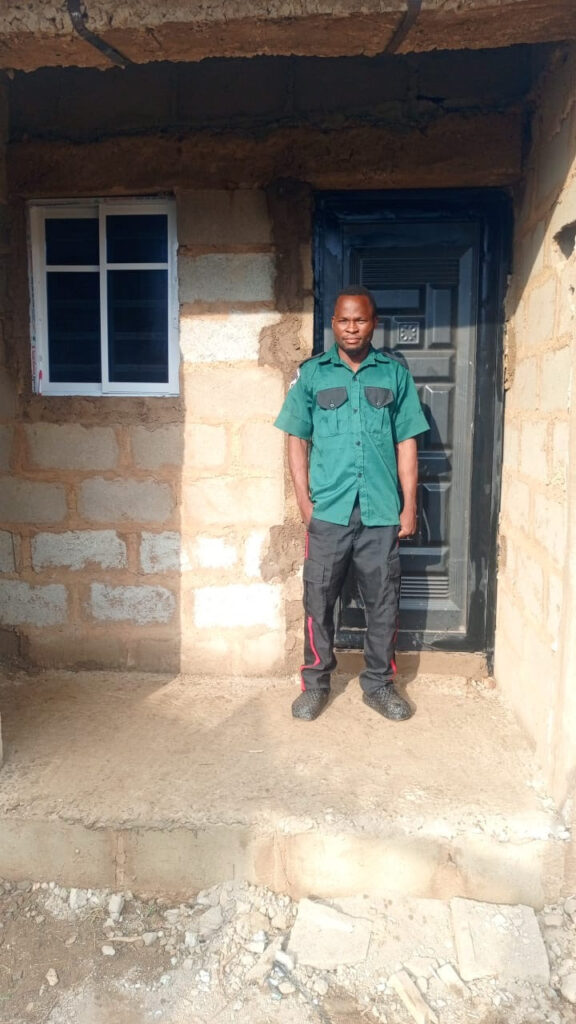
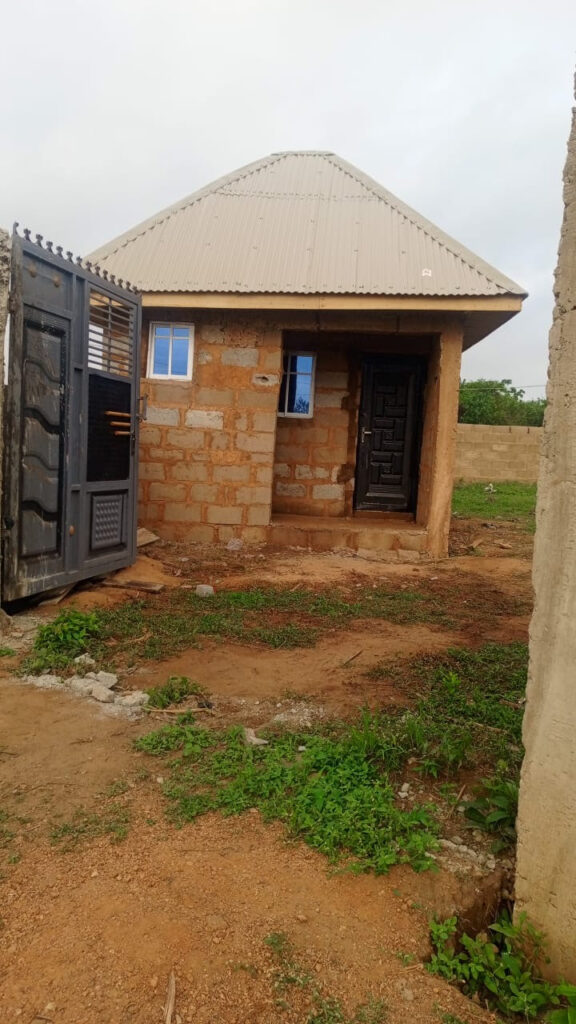
Also, we have recently hired two security men who patrol our property 24/7. This just adds an extra peace of mind that extra eyes are aware of what is happening in the area. We have therefore spent the last week getting the roof on the security house. These men are happy to have their own secure place to sleep. The building still needs electricity and plumbing, so those pieces will be completed in the weeks to come.

On Saturdays, our students partake in a music class and have recently started learning the recorder. They really enjoy this weekend activity!

In addition, we have officially established a partnership with the Social Ministries Department of the Nigerian Baptist Convention. We believe God to use this relationship to strengthen the body of Christ and support the needy in various communities.

Further, we have a new volunteer working as our account manager in Nigeria. Toyosi has stepped up to the plate to continue ensuring our records are kept in order and that money is spent correctly. Thanks, Toyosi! 

Leave a Reply

Your email address will not be published. Required fields are marked *

Is Rabby Wallet Download Really Free? Hidden Costs, Token Economics, and Future Monetization

A user installs Rabby Wallet, confirms the browser extension works on their Chromium-based browser, and begins managing Ethereum and EVM-compatible assets across Base, Arbitrum, Optimism, Polygon, BNB Chain, and Avalanche. No subscription fee appears. No account creation is required. No premium tier is presented. The wallet remains free to download and use. Yet that observation sits incomplete. A free wallet is not the same as a wallet with no economic model, and the absence of upfront costs does not clarify how Rabby sustains development, pays infrastructure, or intends to monetize in the future.

The question matters because wallet choice affects which transactions reach which networks, which smart contract permissions are visible, and which assets end up under which custody models. A wallet that is free today might introduce fees tomorrow, integrate third-party services that charge, or add tokenized features that require holding a specific asset. Understanding the current state, the business incentives beneath it, and the possible futures is therefore more practical than accepting the price tag at face value.

Rabby Wallet browser extension interface showing transaction simulation, approval visibility, and multichain portfolio dashboard across Ethereum and EVM networks

What “free” means in the rabby wallet download context

When a user performs a rabby wallet download from a verified source, they receive software that does not charge a subscription, does not require a license key, and does not gate core functionality behind a paywall. Creating a wallet, importing a seed phrase, viewing a portfolio balance, and sending transactions incur no Rabby-specific fee. This is distinct from blockchain gas fees, which are paid directly to network validators and do not benefit Rabby. The wallet itself extracts no percentage from transactions, charges no monthly rate, and does not require token ownership.

That model is common among self-custody wallets because the software is ultimately a user interface and key manager sitting between the user and the blockchain. The harder it is to use, the less value it provides. Barriers to adoption—whether paywalls, subscriptions, or licensing friction—reduce the user base and make the wallet less useful for the network effects that drive adoption. Many successful web3 wallets including MetaMask, Ethers.js-based interfaces, and others started by accepting the free model as a way to build critical mass.

However, free software does not mean cost-free operation. Browser extension hosting, server infrastructure for transaction simulation, balance updates, approval monitoring, and network detection require resources. If Rabby runs its own nodes or relays transactions through third-party infrastructure, those costs accumulate. Development, testing, security audits, and customer support all demand labor. The question is not whether Rabby has expenses; it is how Rabby covers them.

The simplest answer available from public sources is that Rabby operates as a free service maintained by a development team, with sustainability through undisclosed means. That transparency gap is important for users to acknowledge. A wallet that is free today but suddenly introduces fees, changes privacy policies, or begins extracting data would face user backlash and risk migration to competitors. Rabby’s reputation and long-term viability depend partly on how openly the team communicates about monetization intentions.

How blockchain operations still carry costs despite free software

A free wallet download does not eliminate the economic reality of blockchain use. Every transaction on Ethereum, Arbitrum, Optimism, Polygon, BNB Chain, or Avalanche requires gas fees—the cost of computation paid to network validators. These fees go entirely to the network and have nothing to do with Rabby’s pricing. A user sending 1 ETH from their Rabby wallet pays the current Ethereum gas fee regardless of which wallet they use. If Rabby cost $5 per month and MetaMask cost nothing, the transaction fee would be identical.

Where wallet choice does affect cost is in the hidden expenses of network interaction. If Rabby’s transaction simulation happens on-chain or relies on expensive RPC calls, simulations might cost more than they should. If approval management requires storing data on-chain, that incurs additional fees. If the wallet switches networks carelessly or processes transactions inefficiently, the gas cost can be higher than necessary. From the user’s perspective, free software paired with expensive network use can be more costly than premium software paired with efficient network use.

Rabby’s approach is to minimize the appearance of these secondary costs by handling simulation and approval checking without charging the user directly. The wallet offers transaction preview functionality that shows expected balance changes before confirmation, reducing the risk of approving an unintended transaction or sending funds to a wrong address. This feature likely relies on computation that costs Rabby something—whether through node operations, API costs, or infrastructure bills—but that cost is absorbed rather than passed to the user.

The model is sustainable only if Rabby can either keep infrastructure costs low enough to absorb them, or find alternative revenue sources that do not directly charge users. If infrastructure costs rise significantly—perhaps through higher demand, more networks added, or more complex features—the free model becomes harder to maintain. At that point, Rabby would need to either introduce fees, find venture funding, integrate sponsored features, or tokenize certain functions.

Possible monetization paths and token economics

The most obvious future path is a token. Many successful DeFi protocols and web3 applications have issued tokens that grant governance rights, fee discounts, or premium features. Rabby could introduce a token that holders use to access advanced features, reduce transaction costs, or participate in governance decisions about the wallet’s future. This would not be unusual: other wallets have explored token-based models, and the DeFi community generally accepts tokens as legitimate coordination mechanisms.

A Rabby token could theoretically discount or eliminate gas simulation costs for holders, provide priority support, unlock advanced portfolio analytics, or enable DAO-style governance of the wallet’s feature roadmap. The user who holds a certain amount of Rabby tokens might pay a lower effective cost per transaction simulation, while non-holders use the free but potentially slower service. This model spreads the burden: the token generates value through utility and scarcity, users who care most about the features pay for access through token ownership, and the majority of users remain on a free tier.

Another path is integration with third-party services that do charge. Rabby could partner with DeFi protocols, exchanges, bridges, or RPC providers that pay for prominent wallet integration or transaction routing. The wallet remains free to use, but users might see recommended routes, exchanges, or services that benefit from Rabby receiving a referral fee or integration payment. This is already common: many wallets recommend specific pools, exchanges, or bridges and receive some form of economic incentive in return.

A third possibility is feature layering. Rabby could keep basic send and receive functionality free while introducing a premium tier with advanced features like portfolio analytics, automated rebalancing, risk scoring, or integration with professional tools. This would follow a freemium model similar to many SaaS applications. Users who do not need the advanced features continue to use Rabby for free, while power users and professionals pay for additional capability.

Infrastructure and sustainability questions

For a wallet available as a browser extension plus mobile and desktop versions, infrastructure costs encompass several layers. The browser extension requires a way to reach the blockchain—either through publicly available RPC endpoints, Rabby’s own nodes, or partnerships with node providers. Fetching balances, checking transaction status, simulating transactions, and monitoring approvals all require network queries. If millions of users perform thousands of queries per day, the cumulative cost grows quickly.

Mobile and desktop versions add complexity. Each platform requires separate maintenance, security updates, and testing. Supporting multiple chains (Ethereum, Base, Arbitrum, Optimism, Polygon, BNB Chain, Avalanche) means monitoring multiple networks, updating for each network’s changes, and ensuring cross-chain operations work correctly. Hardware wallet connectivity adds another surface: the wallet must support Ledger, Trezor, or other devices, handle different signing mechanisms, and test across combinations that multiply the test matrix.

Development velocity also costs money. A team large enough to maintain all these features, respond to security issues, and add new functionality commands significant salaries and overhead. If Rabby is funded by venture capital, that funding is not infinite and eventually investors will expect some return or clear path to profitability. If Rabby is self-funded, the team must eventually find a revenue source or face difficult choices about which features to maintain.

The sustainability question is not hypothetical. Several wallets and web3 applications have shut down or significantly reduced service when funding dried up or usage did not meet expectations. Users who depend on a wallet for asset access should consider the team’s track record, the presence of venture backing, public communication about the business model, and whether there are clear contingencies if the current model breaks. A wallet that is free today but disappears tomorrow is ultimately more costly than a wallet that charges a small fee but commits to long-term operation.

Comparing rabby wallet to other free defi wallet options

MetaMask, the dominant Ethereum wallet, is also free to download and use. MetaMask’s revenue model includes a built-in swap feature that charges a fee for trades, integration with paid services, and data analytics. Users who do simple transfers and token holds incur no fees, but users who actively trade or bridge assets may encounter MetaMask-specific fees on top of network gas. The model works because a large user base makes even a small percentage of paying users economically viable.

Ethers.js and similar developer-focused tools are free because they are open-source libraries rather than commercial products. They rely on community contribution and do not have a sustainability problem because there is no company paying salaries. However, they also lack a user interface, customer support, and the kind of features that make a wallet accessible to non-technical users.

Uniswap Wallet, developed by Uniswap Labs, is free because Uniswap itself is a protocol that generates value through trading volume. The wallet drives usage of the protocol, which is how Uniswap generates revenue. Users benefit from the free wallet, but they also concentrate their trading activity on Uniswap’s pools, which may or may not be optimal for their needs.

Comparing these models reveals a pattern: free wallets are usually free because the operator either has another revenue source (trading fees, protocol revenue, partnerships), is funded by venture capital playing a long-term game, or is open-source and does not have commercial costs. Understanding where Rabby Wallet fits in this spectrum matters for assessing long-term viability. The current absence of fees is not a guarantee that fees will never appear.

What users should watch for when rabby wallet download becomes paid

If Rabby eventually introduces a fee structure, the terms will reveal important information about the business model and the team’s priorities. A small fee per transaction (like 0.01% of the amount) would be relatively transparent and proportional to usage. A flat monthly subscription would create an incentive for Rabby to maximize features and retention, potentially at the cost of simplicity. A token requirement would introduce price volatility and create a secondary market for the token itself.

Users should also pay attention to how fees are announced. A transparent roadmap that communicates future monetization weeks or months in advance gives users time to migrate wallets or plan accordingly. A sudden introduction of fees or a surprise shift toward paid features would be a red flag about how the team values user consent and communication.

Another important consideration is what happens to users who cannot or will not pay. Will basic functionality remain free, or will a paid tier become mandatory? Will the free tier become slow or feature-limited to the point of being unusable? Migration from a wallet is inconvenient but possible; users should maintain awareness of alternative options and periodically verify that their chosen wallet still aligns with their needs and budget.

Privacy and data collection policies should also be scrutinized. A free wallet that collects extensive user data and sells it to analytics companies or third parties is effectively charging users through data extraction rather than explicit fees. Users should review Rabby’s privacy policy and assess what information the wallet collects, where that data goes, and whether the user is comfortable with those terms. As a self-custody wallet, Rabby should not have access to users’ private keys, but it may still observe transaction patterns, network connections, or device information.

The hidden cost of wallet switching and user lock-in

One reason free wallets can eventually introduce fees is that switching wallets is inconvenient. A user who has configured Rabby Wallet, added all their token addresses, set up hardware wallet connectivity, and grown accustomed to the interface faces friction when moving to a different wallet. The user must export or re-import seed phrases, reconfigure networks, re-add tokens, and learn a new interface. This friction creates lock-in: users who might otherwise abandon a wallet over new fees instead pay because switching is costly.

This dynamic explains why wallet choice matters beyond the current feature set and pricing. Selecting a wallet based partly on the team’s communication about long-term sustainability, the presence of backing from stable organizations, and the openness of the codebase reduces the risk of sudden changes. Open-source wallets can be forked if the original team introduces unacceptable changes, whereas closed-source wallets offer no such option.

Users should also maintain a mental model of which assets are truly in their control and which depend on the wallet remaining functional. Self-custody wallets like Rabby do not hold the user’s assets; the user holds private keys and the wallet simply displays the balance and facilitates transactions. This means that if Rabby disappears, the user can still access their assets through alternative software like Ethers.js, another wallet, or by writing custom code. However, if the user never tested this contingency or backed up the recovery phrase carefully, the theoretical control becomes practically useless.

Future scenarios: token launch, acquisition, or exit

Several trajectories could reshape Rabby’s economics. A token launch would create new incentives: token holders might receive governance votes, fee discounts, or early access to features. The token could appreciate or depreciate based on adoption and sentiment, creating wealth or destroying value for holders. This is not inherently problematic, but it does complicate the user’s decision calculus: using Rabby becomes not just a choice about wallet features but a bet on the token’s future.

An acquisition by a larger entity could change the model significantly. A venture-backed fintech company, a major exchange, or a blockchain platform could acquire Rabby and integrate it into a broader product. The standalone wallet might disappear, to be replaced by a white-labeled version inside a larger application. Users would face the migration friction mentioned above, but at least the communication would likely be clearer than a gradual feature removal.

An exit event where Rabby’s founders sell the company to investors or a larger firm would shift the ownership incentives. The new owners might have different priorities about monetization, feature development, or user privacy. The team that built Rabby might disperse, and continuity would depend on whether the acquirer values the wallet as a strategic asset or as a talent acquisition.

The most stable scenario for users would be if Rabby introduced a clear, transparent business model—whether through a token, a freemium tier, partnerships, or venture funding with explicit terms. Ambiguity is the greatest risk because it leaves users unable to plan and creates the conditions for sudden changes that feel like a betrayal.

Frequently asked questions

Is rabby wallet download truly free forever?

Rabby wallet download is free as of now, with no subscription or licensing fees. However, free software does not guarantee free forever. Like many successful wallets, Rabby could introduce monetization through tokens, premium features, transaction fees on trades, or third-party partnerships. Users should monitor official announcements and consider this possibility when evaluating long-term wallet choice.

What costs do I incur when using Rabby Wallet as a DeFi wallet?

Rabby Wallet itself does not charge fees, but blockchain gas fees remain. Every transaction on Ethereum, Arbitrum, Optimism, Polygon, BNB Chain, or Avalanche requires network fees paid to validators. As a defi wallet, Rabby may facilitate swaps, approvals, or complex interactions on these networks, but all network costs flow directly to the blockchain and not to Rabby. The wallet’s only guarantee is that it does not add an additional markup on top of network fees.

How does Rabby Wallet sustain its development if it is free?

Rabby’s current sustainability model is not publicly detailed, which creates some uncertainty. Possible paths include venture funding, partnerships with DeFi protocols or RPC providers, future tokenization, or freemium features. Users should view the absence of obvious revenue sources as a gap to monitor rather than a guarantee that fees will never appear. When choosing a web3 wallet, consider the team’s track record and communication about business sustainability alongside feature set and user experience.


Leave a Reply

Your email address will not be published. Required fields are marked *

Trezor Suite Web : Interface utilisateur intuitive pour les débutants en crypto

Un utilisateur novice en cryptomonnaies se trouve face à un problème concret : comment gérer ses actifs numériques sans exposer ses clés privées à des logiciels malveillants, des interfaces non fiables ou des risques de phishing ? La plupart des applications de portefeuille exigent une courbe d’apprentissage technique ou demandent de confier ses fonds à des tiers. Trezor Suite Web offre une approche différente : une interface accessible qui fonctionne sur navigateur web, ordinateur de bureau ou appareil mobile, tout en préservant le contrôle cryptographique du wallet par le biais d’un périphérique matériel dédié.

La sécurité n’est pas un compromis avec la facilité d’utilisation. Trezor Suite Web intègre une vérification cryptographique du firmware à chaque connexion du portefeuille, empêchant les attaques par usurpation d’identité et les infections de malware. L’application wallet sécurisée fonctionne sans jamais exiger que l’utilisateur saisisse sa phrase de récupération sur un ordinateur ou un téléphone connecté à Internet. Cette séparation entre l’interface et le stockage des clés élimine une classe entière de vecteurs d’attaque. Pour un débutant, cela signifie pouvoir apprendre progressivement à gérer Bitcoin et autres actifs tout en bénéficiant de protections qui autrement demanderaient expertise et vigilance constante.

Interface d'accueil de Trezor Suite Web montrant la connexion du portefeuille matériel et l'état de vérification du firmware

Pourquoi Trezor Suite Web diffère des portefeuilles standards

La distinction fondamentale entre Trezor Suite Web et un portefeuille logiciel ordinaire repose sur la séparation du stockage et de l’interface. Un portefeuille logiciel classique génère et conserve les clés privées sur l’appareil qui exécute l’application. Trezor Suite Web, en revanche, communique avec un périphérique matériel physique : Trezor Model One, Model T, Safe 3 ou Safe 5. Les clés privées restent toujours sur le périphérique, jamais exposées à l’écran ou transmises en réseau.

Cette architecture crée un isolement physique. Même si un ordinateur de bureau ou un navigateur web était compromis par un malware sophistiqué, celui-ci ne pourrait pas voler les clés privées car elles n’y existent pas. Lorsqu’une transaction doit être signée, le périphérique matériel effectue cette opération localement et ne transmet que la signature confirmée à l’interface. L’utilisateur doit valider chaque transaction sur l’écran du Trezor lui-même, en boutons physiques, ce qui exige une confirmation intentionnelle impossible à contourner par un exploit logiciel.

Pour un débutant, cette architecture offre une confiance graduée. Il n’est pas nécessaire de comprendre immédiatement les détails cryptographiques du ECDSA ou du hachage SHA256 pour bénéficier de leur protection. L’utilisateur apprend d’abord à naviguer l’interface visuelle, à envoyer et recevoir des fonds, à vérifier les soldes, sans jamais manipuler directement ses secrets. La complexité technique est déléguée à une couche isolée, ce qui réduit les erreurs de manipulation ou les choix dangereux.

Cette séparation s’étend également à la gestion des mises à jour. Les mises à jour du firmware du Trezor proviennent exclusivement de SatoshiLabs et sont vérifiées cryptographiquement avant installation. Un utilisateur ne doit pas se demander si une mise à jour téléchargée provient d’une source malveillante : le processus de vérification d’intégrité utilise des fonctions de hachage SHA256 pour confirmer l’authenticité. Cette automatisation signifie qu’un novice reçoit les dernières protections de sécurité sans intervention manuelle complexe ou risque d’erreur.

Navigation dans Trezor Suite Web pour la première connexion

La première étape consiste à télécharger Trezor Suite Web depuis trezor.io, le site officiel unique approuvé par SatoshiLabs. Cet acte apparemment simple est critique : des milliers de sites d’usurpation d’identité existent, prétendant offrir Trezor Suite mais livrant à la place des keyloggers, des portefeuilles factices ou des formulaires qui demandent la phrase de récupération. Télécharger depuis le site officiel élimine cette classe de menace. Une fois l’application installée sur Windows 10 ou plus récent, macOS Monterey ou plus récent, Linux, ou depuis les App Stores officiels sur mobile, l’interface guide l’utilisateur à travers des étapes simples.

L’application wallet sécurisée affiche d’abord un écran de connexion demandant de brancher le périphérique Trezor via USB ou Bluetooth (selon le modèle). Le novice connecte son Trezor et voit un statut en temps réel : l’application détecte le périphérique, le reconnaît, et lance automatiquement la vérification du firmware. Cet étape de vérification cryptographique est invisible pour l’utilisateur mais critique. Trezor Suite Web compare le firmware installé sur le périphérique contre une liste de hachages SHA256 connus et approuvés. Si le firmware a été altéré, l’application alerte et propose une réinstallation depuis une source de confiance.

Après vérification réussie, l’interface affiche les comptes disponibles organisés par devise. Bitcoin apparaît généralement en premier, suivi d’Ethereum, Litecoin, et autres actifs supportés selon la configuration du Trezor. Contrairement à certains portefeuilles qui demandent à l’utilisateur de naviguer des menus techniques ou de choisir entre chaînes de dérivation obscures, Trezor Suite Web présente des termes courants : « Bitcoin Compte Principal », « Ethereum Compte », etc. Les débutants peuvent immédiatement recevoir des adresses ou envoyer des fonds sans connaître les standards BIP32 ou les nuances des chemins de dérivation.

L’interface inclut également des indicateurs de statut clairs. Une bande en haut affiche « Périphérique connecté et vérifié », « Firmware à jour », ou des avertissements si une mise à jour est disponible. Cela réduit l’anxiété du novice : il peut voir d’un coup d’œil que son portefeuille est sain et prêt à l’emploi. Les couleurs, les symboles et les messages courts évitent les paragraphes de texte technique. La certitude visuelle que le périphérique est authentique et non compromis est autrement difficile à communiquer sans Trezor Suite Web.

Recevoir et envoyer des cryptomonnaies sans prise de risque

Recevoir des fonds est l’opération la plus sûre et la plus simple. L’utilisateur clique sur « Recevoir » dans l’interface, choisit l’actif désiré (Bitcoin wallet, Ethereum, etc.), et l’application affiche une adresse de réception. Cruciale : cette adresse apparaît aussi sur l’écran du Trezor lui-même. Le novice peut vérifier que les premiers caractères et les derniers correspondent entre ce qu’il voit sur son ordinateur et ce qu’il voit sur le périphérique matériel. Cette vérification croisée empêche une attaque dans laquelle un malware modifierait l’adresse affichée pour la remplacer par la sienne, volant ainsi les fonds reçus.

Envoyer des fonds demande quelques étapes supplémentaires mais reste accessible. L’utilisateur clique sur « Envoyer », remplit le montant et l’adresse de destination, puis clique « Envoyer ». À ce moment, Trezor Suite Web prépare la transaction et la transmet au Trezor pour signature. Sur l’écran du périphérique, les détails de la transaction s’affichent : adresse de destination, montant, et frais estimés. L’utilisateur doit confirmer sur les boutons du Trezor physique. Aucun malware sur l’ordinateur ne peut forcer cette validation. Aucun attaquant ne peut modifier la destination ou le montant après le début de cette approbation physique. Pour un débutant, cette étape simple élimine les manipulations cachées qui pourraient autrement le ruiner.

L’une des peurs courantes des novices est de faire une erreur irréversible : envoyer les fonds à une adresse incorrecte ou d’un type incompatible. Trezor Suite Web offre des garde-fous graduels. Avant de préparer une transaction, l’application valide l’adresse de destination. Si un utilisateur tente d’envoyer du Bitcoin à une adresse Ethereum, par exemple, l’interface refuse et explique l’erreur en langage clair. Si le montant demandé dépasse le solde disponible, une notification l’empêche de construire une transaction invalide. Ces vérifications réduisent les erreurs coûteuses qui coûtent cher à l’apprentissage par la pratique dans d’autres environnements.

La gestion des frais de réseau (gas fees, frais de mineur) est également transparente. Trezor Suite Web affiche une estimation du temps de confirmation selon le niveau de frais choisi : rapide, standard, ou économe. Un débutant peut comprendre le compromis entre vitesse et coût sans jamais plonger dans les détails du mempool ou de la taille en octets des transactions. Cette abstraction appropriée garde l’utilisateur informé sans l’accabler.

Intégration matérielle native sans exposition de clés

Un élément différenciant majeur de Trezor Suite Web est qu’elle ne demande jamais la phrase de récupération (seed phrase) sur l’ordinateur. Beaucoup de portefeuilles logiciels demandent aux utilisateurs d’entrer leur seed pour « restaurer » un portefeuille. Cette action expose la phrase au clavier, à la mémoire du système, et au logiciel d’exploitation potentiellement compromis. SatoshiLabs a éliminé ce risque entièrement. Lors de la première connexion d’un Trezor préexistant, l’utilisateur approuve la connexion sur le périphérique lui-même. Trezor Suite Web récupère les adresses publiques dérivées du Trezor, mais jamais les clés privées ou le seed.

Cette architecture signifie que même si l’ordinateur était complètement pris en charge par un attaquant pendant des mois, l’attaquant n’obtiendrait pas l’accès aux fonds. Les clés demeurent inaccessibles car elles n’existent que sur le Trezor. L’interface peut afficher les soldes, les historiques de transactions, les adresses destinataires, mais elle ne peut pas signer des transactions sans l’approbation physique du périphérique. Pour un novice, cette garantie supprime une source majeure d’anxiété : il ne doit pas craindre qu’une mise à jour du système d’exploitation ou un clic malheureux compromette tout.

La vérification du firmware cryptographique améliore cette sécurité encore davantage. À chaque connexion du Trezor, Trezor Suite Web recalcule le hachage SHA256 du firmware du périphérique et le compare à une liste de versions fiables et authentiques maintenue par SatoshiLabs. Si le firmware a été altéré (par un attaquant qui aurait eu accès physique, par une contrefaçon, ou par une attaque lors du transport), l’application le détecte immédiatement. Un utilisateur ne risque pas d’utiliser accidentellement un Trezor compromis sans le savoir. Cette vérification automatisée élimine un cas d’usage où la confiance repose sur l’apparence physique du périphérique.

Disponibilité multi-plateforme et téléchargement sécurisé

Trezor Suite Web est disponible sur une gamme large de systèmes d’exploitation : Windows 10 et supérieur, macOS Monterey et supérieur, Linux dans ses distributions principales, et applications mobiles natives via les App Stores officiels (Apple App Store pour iOS, Google Play Store pour Android). Cette multiplicité signifie qu’un débutant peut gérer son portefeuille depuis son bureau au travail, depuis son Mac à la maison, ou depuis son téléphone en déplacement, tout en conservant le même niveau de sécurité. L’accès multi-plateforme n’est pas un compromis. Chaque connexion est isolée et vérifiée indépendamment.

Le téléchargement sécurisé commence à trezor.io. SatoshiLabs a investi dans une infrastructure HTTPS/TLS solide et un certificat SSL valide pour s’assurer que chaque visiteur du site reçoit la version légitime. Aucun certificat intermédiaire ou autorité de certification douteuse ne peut intervenir. La page de téléchargement affiche également des sommes de contrôle SHA256 pour chaque fichier distribué, permettant aux utilisateurs avertis de vérifier l’intégrité du téléchargement avec des outils command-line. Pour les débutants, le lien direct depuis trezor.io suffit ; pour les utilisateurs avancés, cette transparence crédibilité supplémentaire.

Une fois installée, l’application wallet sécurisée se met à jour automatiquement via les canaux officiels du système d’exploitation. Sur Windows et macOS, les mises à jour arrivent directement. Sur Linux, le package manager gère les mises à jour selon la distribution. Sur mobile, les App Stores autorisés distribuent les mises à jour. Aucun utilisateur ne doit vérifier manuellement si une nouvelle version est disponible ou chercher où la télécharger. Cette automationelimine un point d’attaque courant : les faux sites offrant de « nouvelles versions » chargées de malware.

L’équipe de SatoshiLabs maintient également le code source de Trezor Suite Web sur GitHub, accessible publiquement sous une licence open source. Cela signifie que des chercheurs en sécurité, des développeurs indépendants, et des auditeurs externes peuvent examiner le code pour vérifier qu’il fonctionne tel que décrit. Aucune fonctionnalité cachée, aucune télémétrie dissimulée, aucun backdoor ne peut rester longtemps inaperçu. Pour un novice, cette transparence offre une confiance que les portefeuilles fermés ne peuvent pas égaler.

Gestion des erreurs et messages d’avertissement pour les débutants

L’un des défis de l’enseignement aux novices est que les cryptomonnaies permettent des erreurs irréversibles. Un portefeuille bien conçu doit prévenir les erreurs plutôt que de les laisser se produire. Trezor Suite Web implémente plusieurs couches de prévention. La première est la validation d’adresse en temps réel. Un utilisateur commençant à taper une adresse de destination voit un indicateur : vert si l’adresse semble valide, rouge si elle est mal formée ou incohérente. Cela réduit les erreurs de saisie simples.

La deuxième couche est la confirmation visuelle sur le Trezor. Même si Trezor Suite Web validait incorrectement une adresse (ce qui est rare), l’utilisateur verrait la destination erronée sur l’écran du périphérique pendant la confirmation. À ce moment, il peut refuser. L’approbation physique exige une intention consciente, pas simplement un clic sur un bouton logiciel. Pour un novice, ce processus en deux étapes crée une occasion de pause réfléchie.

La troisième couche concerne les avertissements contextuels. Si Trezor Suite Web détecte que l’utilisateur tente d’envoyer vers une adresse qui n’a jamais reçu de fonds (par exemple, une adresse potentiellement mal saisie), l’interface avertit. Si l’adresse correspond à un contrat de swap ou à un service connu, l’application peut contextualiser ce message. Ces avertissements ne sont pas intrusifs (ce qui ferait avorter les transactions valides), mais suffisamment visibles pour arrêter les erreurs commises dans la hâte.

Les messages d’erreur eux-mêmes sont rédigés pour les novices, pas pour les développeurs. Au lieu de « Erreur : Invalid BIP32 derivation path », l’interface affiche « L’adresse sélectionnée n’est pas compatible. Veuillez vérifier votre compte ». Cette clarté transforme une expérience frustrant en opportunité d’apprentissage. L’utilisateur comprend ce qui s’est mal passé sans recourir à un forum technique.

Protection contre le phishing et les contrefaçons

Le phishing cryptographique reste une attaque dominante. Un attaquant crée un site presque identique à trezor.io, utilise des publicités payantes pour le promouvoir, ou envoie des e-mails d’hameçonnage. Un novice clique, télécharge ce qui ressemble à Trezor Suite Web, et installe à la place un malware ou un faux portefeuille qui demande la seed phrase. Trezor Suite Web ne peut pas arrêter cette attaque entièrement, mais elle la rend moins dégâts. Si un utilisateur installe accidentellement une contrefaçon, celle-ci ne sera jamais capable de communiquer avec un vrai Trezor car le protocole de communication est propriétaire et audité.

Pour renforcer cela, télécharger uniquement depuis trezor.io est la première ligne de défense. SatoshiLabs a sécurisé ce domaine avec des protocoles DNSSEC et des certificats de sécurité avancés. Aucun attaquant DNS ne peut rediriger silencieusement les utilisateurs vers une contrefaçon. La deuxième défense est la distribution officielle via les App Stores. Apple et Google appliquent des vérifications strictes avant d’accepter une application ; une contrefaçon complète du Trezor Suite App sur l’App Store est techniquement possible mais détectable rapidement en raison des millions d’utilisateurs qui signaleraient le problème.

Un novice se demandant s’il a le vrai Trezor Suite Web peut poser une question simple : « Est-ce que mon Trezor matériel se connecte ? ». Si un utilisateur a un vrai Trezor (acheté auprès d’un revendeur autorisé ou du site officiel de Satos himLabs), une contrefaçon de Trezor Suite Web ne reconnaîtra pas le matériel. Le vrai Trezor Suite Web, en revanche, se connecte immédiatement et lance la vérification du firmware. Cette asymétrie crée une preuve tactile que l’application est authentique.

Apprentissage progressif sans surcharge cognitive

Un des succès d’une interface pour débutants est de permettre l’apprentissage par étapes. Trezor Suite Web et l’trezor suite web offrent une expérience graduée. Un débutant absolu peut commencer par recevoir des fonds vers une adresse et vérifier l’historique sans risque. À mesure qu’il gagne confiance, il peut explorer les paramètres avancés : gestion des frais, choix des comptes dérivés, ajustements de confidentialité.

L’interface elle-même s’adapte aux pratiques. Si l’utilisateur n’a jamais envoyé de Bitcoin avant, Trezor Suite Web affiche des conseils contextuels : « Vérifiez l’adresse de destination », « Confirmez les frais », « Validez sur votre Trezor ». Après quelques transactions, ces conseils deviennent optionnels et peuvent être masqués pour ne pas encombrer l’interface. Un utilisateur expert préfère un layout épuré ; un débutant apprécie les garde-fous.

La documentation intégrée et les liens d’aide complètent cette courbe d’apprentissage. Plutôt que de supposer que l’utilisateur connaît les termes ou les processus, Trezor Suite Web inclut des bulles d’aide, des glossaires intégrés, et des liens vers des guides approfondis. Un novice qui se demande « Qu’est-ce qu’une adresse de change ? » ou « Pourquoi mes frais sont-ils élevés ? » trouve des réponses directes dans l’interface, sans quitter l’application.

Questions fréquemment posées

Est-ce que Trezor Suite Web est sûr pour les débutants ?

Oui. Trezor Suite Web combine une interface conviviale avec une sécurité cryptographique. Les clés privées ne quittent jamais le périphérique Trezor matériel, les transactions doivent être approuvées physiquement, et le firmware est vérifié à chaque connexion via SHA256. Un novice reçoit les mêmes protections qu’un utilisateur avancé sans nécessiter une expertise technique.

Puis-je utiliser Trezor Suite Web sur mon téléphone ?

Oui. L’application wallet sécurisée est disponible sur iOS via l’App Store et Android via Google Play Store. Vous pouvez gérer votre Bitcoin wallet et autres actifs depuis votre téléphone avec le même niveau de sécurité que la version de bureau. Le Trezor se connecte via Bluetooth sur les modèles compatibles.

Que se passe-t-il si je télécharge Trezor Suite Web depuis un site frauduleux ?

Téléchargez toujours depuis trezor.io, l’unique site officiel approuvé par SatoshiLabs. Une contrefaçon de Trezor Suite Web ne reconnaîtra pas votre vrai Trezor matériel et ne pourra pas établir une connexion sécurisée. Télécharger depuis l’App Store officiel (iOS) ou Google Play Store (Android) offre également une protection puisque ces plateformes vérifient les applications avant publication.

Leave a Reply

Your email address will not be published. Required fields are marked *

Phantom Wallet Extension: Why Transaction Previews Matter More Than You Think

A user approves what appears to be a simple token swap on Solana, expecting to exchange 10 USDC for SOL. The transaction completes, and the wallet shows a confirmed status. Only later does the user realize that the actual contract interaction was far more complex: hidden function calls, token approvals with unlimited allowances, or delegate instructions that granted control over future transactions. The swap was legitimate, but so were dozens of invisible permissions embedded in the same transaction. This is not a theoretical edge case. It happens because most wallet interfaces show only a summary, not the actual contract instructions being executed.

A Phantom wallet extension user faces the same risk every time they interact with a smart contract, decentralized exchange, or token approval. The difference is that Phantom’s transaction preview system decodes and displays the actual contract calls, permissions, and state changes before the user signs. That visibility is not a marketing feature. It is a structural defense against a class of exploits that remain invisible in wallets showing only the headline action. Understanding how transaction previews work, what they reveal, and what they cannot prevent is essential for self-custody security on Solana, Ethereum, and other supported networks.

Phantom wallet extension transaction preview interface displaying decoded contract instructions, token approvals, and state changes before user signature

How hidden contract instructions defeat headline summaries

When a user clicks “confirm” on a blockchain transaction, they are not confirming a simple action. They are signing a structured data packet containing one or more instructions, each with its own destination address, function identifier, and encoded parameters. A decentralized exchange like Raydium might bundle several steps: approve a token for spending, transfer the input token, execute a swap, and send the output to the user. A malicious contract or a compromised application might add extra instructions designed to steal the output, drain approvals, or redirect funds. A standard wallet that displays only “Swap 10 USDC for SOL” does not show this layering.

The Phantom wallet extension addresses this by parsing each instruction and translating the encoded bytes back into human-readable text. Instead of seeing a single “Confirm” button, the user sees a breakdown: approve USDC to address X, call swap function on address Y with parameters Z, transfer output to address W. This is a technical accomplishment because Solana instructions are compact byte sequences, Ethereum transactions contain encoded function selectors, and the relevant contract definitions (ABIs) must be available or inferred. If a contract is not recognized, the preview defaults to showing the raw data rather than hiding it or displaying only a summary.

The security implication is straightforward: visibility raises the cost of social engineering and obfuscation. An attacker hoping to trick a user into approving an unlimited token allowance now faces a user who has actually read that the allowance is unlimited, not one who assumed it was temporary because the interface said “approve.” A compromised front-end application that tries to add a stealing instruction will have that instruction visible in the preview, creating an opportunity for the user to notice and cancel. This does not guarantee that every user will read carefully or understand every parameter, but it eliminates a class of attacks that relied on summary hiding.

Supported networks vary in how much information can be displayed. Solana’s transparent instruction structure makes parsing relatively straightforward. Ethereum’s contract interactions require access to the contract ABI; if the ABI is not available in a public registry, decoding becomes harder or impossible. Bitcoin transactions do not involve contract code, so previews there focus on amounts and addresses. The Phantom wallet extension across Chrome, Brave, Firefox, iOS, and Android operates with the same decoding principles, though the rendering constraints of a mobile screen may abbreviate longer lists of instructions.

What transaction previews can and cannot reveal

A decoded transaction preview shows the intended contract calls and permissions. It does not simulate the actual contract behavior or show what the contract will do when executed. This distinction is critical. A preview can display “Transfer 10 USDC to address 0xABC” and “Approve unlimited USDC for address 0xDEF.” The preview cannot show that address 0xDEF is a harvester contract that will immediately sell the approved tokens for ETH, sending the proceeds to an attacker. The preview shows the instruction; simulation would execute it in a test environment and display the result.

Phantom’s scam prevention features, including the built-in warning system, flag known malicious addresses and suspicious patterns. These warnings operate on a database of reported exploits, honey pot contracts, and verified scams. Warnings are reactive: they can block known threats but not novel exploits. A brand-new contract deployed hours ago may have no warnings even if it is designed to steal funds the moment someone approves it. Similarly, a legitimate contract on a less-monitored network may have no warning data simply because the database is incomplete. The preview and warnings together form a defense-in-depth, but neither is a complete guarantee.

State changes and price impacts also fall outside the scope of a static preview. If a user is swapping tokens on a concentrated liquidity pool, the preview shows the contract calls but not the actual price slippage that will occur when the transaction settles. If the transaction includes a call to a governance contract that will update voting power, the preview shows the instruction but not the timestamp when that voting power becomes active or whether it creates a flash-loan vulnerability. The preview is a necessary precondition for security, not a sufficient one.

Users should treat the transaction preview as a chance to verify three things: the receiving address matches the intended destination, the token amount is correct, and no unexpected approvals or function calls are present. If the preview contains an approval for a token, the user should check the amount (is it unlimited or capped?) and the recipient address (does it belong to the protocol being used or to a random address?). For swap transactions, verify that both the input and output tokens are what was intended. These checks take seconds and can prevent most routine exploit vectors.

The Phantom wallet extension architecture on multiple networks

Phantom supports Solana, Ethereum, Base, Polygon, Bitcoin, and Sui, each with different transaction structures and contract models. This breadth creates both opportunity and complexity. A user holding a diverse portfolio can manage multiple networks from a single interface, reducing the number of extension installations and recovery phrases to secure. However, the transaction preview feature must adapt to each network’s specific encoding and semantics.

On Solana, transactions are clear-text arrays of instructions, making parsing relatively transparent once the contract ABI is available. On Ethereum, transactions encode contract function calls using a compact function selector and parameter encoding; the Phantom wallet extension must retrieve the contract ABI from Etherscan or similar databases to decode this into readable function names and parameters. Bitcoin transactions involve inputs and outputs with script data; previews there focus on amounts and addresses rather than contract logic. Sui uses Move bytecode and its own transaction structure, requiring separate decoding logic.

The decoding process introduces a potential weakness: if the database of contract ABIs is incomplete or out of sync, the preview may show only hex data instead of human-readable instructions. A user seeing hex data might cancel the transaction out of caution, which is a safe response, or they might proceed without understanding what they are approving. Phantom’s design preference is to show raw data rather than hide it, which favors transparency over false confidence. However, users navigating less popular networks or interacting with newly deployed contracts should expect that some previews will be harder to interpret.

Hardware wallet integration through Ledger allows users to sign transactions on an offline device while the preview is still displayed on the connected computer or phone. This means the preview happens before the hardware device is asked to sign, giving the user a chance to cancel without even engaging the hardware. The flow is: preview on-screen, user confirms, request sent to hardware device, user reviews and signs on the hardware screen. If the preview and hardware screens disagree, something has corrupted the transaction in between—a scenario rare enough that users can generally trust both screens if they match.

Scam prevention and the limits of automated detection

Phantom Wallet security includes automated scam warnings that flag suspicious requests and known malicious contracts. When a user attempts to interact with a contract flagged as a honey pot, phishing scheme, or known thief, the wallet displays a red warning. These warnings are based on heuristics, reported incidents, and community data. They are effective at blocking common vectors but inherently reactive.

The automation faces a scalability problem: new scam contracts are deployed constantly, and by the time a contract is flagged, it may have already stolen funds from early users. Additionally, some legitimate low-liquidity or experimental contracts can trigger false positives if their behavior resembles known attack patterns. A user seeing a warning should investigate further before proceeding, but some advanced users may dismiss warnings too quickly or lose trust in them if they encounter too many false alarms.

Manual verification becomes necessary for novel or unusual transactions. Even with Phantom’s scam prevention features, a user can be tricked by a phishing website that looks identical to a legitimate dApp, by a malicious browser extension, or by social engineering that convinces them to approve a contract they should not. The transaction preview and warnings are controls that reduce risk but do not eliminate user judgment. An attacker who can control the user’s browser environment can potentially intercept or alter the preview itself, which is why device security, browser hygiene, and downloads from official stores matter.

One important defensive practice is to use watch-only addresses for assets that do not require frequent interaction. Phantom supports watch-only addresses, allowing users to monitor holdings without keeping the signing keys on the computer where dApp interactions happen. A high-value position might be stored on a hardware wallet or in a watch-only view, while smaller operational amounts are kept in the actively connected Phantom wallet extension. This reduces the attack surface by limiting what can be signed from the device running the browser.

Token swaps, approvals, and the case for transaction caution

A token swap through Phantom typically requires two transactions: an approval that grants the swap contract permission to move the input token, and the swap itself. This two-step process is where many users make mistakes or fall victim to exploit. If the approval is unlimited, the swap contract can move that token in any quantity at any time, even long after the initial swap is complete. A compromised version of the swap contract, or a malicious contract at the same address after the legitimate contract is deprecated, could drain approved balances.

Phantom’s transaction preview makes this visible: the user sees “Approve USDC: unlimited” or “Approve USDC: 10 USDC” depending on what the dApp has requested. Professional traders and security-conscious users often use approval management tools to set time-limited or amount-limited approvals, reducing exposure. A casual user who just wants to swap may not realize that clicking approve is granting long-term trust to a contract. The Phantom wallet extension cannot force better practices, but it can display what is happening so users who care can make a conscious choice.

After a swap completes, assets may arrive in the wallet or in a separate destination address depending on the contract logic. The preview should show the destination, but users sometimes miss this detail. A swap might direct the output to a staking contract, a bridge, or a different account altogether. Confirming that the output token and destination match expectations before signing is a habit worth developing, even when the preview seems straightforward.

For users managing multiple accounts or watch-only addresses, the wallet’s account management features become important. A user can explicitly check which account will receive the swapped output, preventing the common error of swapping into the wrong address. Combining account verification with a careful read of the transaction preview reduces the likelihood of accidents or exploitation.

When technical security meets behavioral reality

A Phantom wallet extension that offers perfect transaction visibility is only as strong as the user’s willingness to read the preview. Studies of security warnings and disclosure interfaces show that many users skip them or skim without understanding. If a preview shows ten lines of contract calls, some users will approve without reading past the first line. If a dApp on a phishing website displays the same preview format but with malicious content, users who have learned to trust the preview might approve without recognizing the change.

The realistic model of security is therefore not “perfect transparency prevents all attacks” but rather “transparency enables users who pay attention to avoid most attacks, while educating the broader user base that contracts are complex.” A user who learns to read transaction previews becomes more skeptical of unknown dApps and more likely to cancel suspicious transactions. That cultural shift, multiplied across many users, raises the cost of social engineering and phishing.

Education and interface design matter as much as the technical features. A preview that abbreviates long lists of approvals or hides warning details defeats the purpose. A preview that is too dense or uses technical jargon may confuse rather than clarify. Phantom’s approach of showing the raw instruction set when decoding is not available errs on the side of caution: a user who cannot understand the preview is more likely to cancel, which is the safer behavior than guessing.

Installation, backup, and ongoing maintenance

The Phantom wallet extension is available through official stores for Chrome, Brave, Firefox, iOS, and Android. Installing from official stores rather than from third-party websites or direct links is a fundamental security requirement. A malicious copy of the wallet can capture recovery phrases, approve transactions without user knowledge, or redirect withdrawals to attacker addresses. The official distribution channels include signature verification and update mechanisms that reduce (though do not eliminate) the risk of tampering.

After installation, a user creates or imports a wallet and should immediately secure the recovery phrase. This phrase is the only backup if the device is lost or the extension is uninstalled. Writing it on paper, storing it in a safe location, and never entering it into any online service (including email or cloud storage) are non-negotiable practices. A user who loses the recovery phrase cannot recover funds if the device fails, and a user whose recovery phrase is exposed gives attackers a copy of the signing key.

Maintaining security also requires keeping the browser and extension updated. Updates often include security patches for discovered vulnerabilities. A user who disables automatic updates risks running an outdated version with known exploits. Conversely, a user who has authorized many dApps should periodically review and revoke unnecessary token approvals. The approval management interface in the wallet allows users to see which contracts have which approvals and to revoke them individually, a hygiene practice that reduces accumulated exposure.

For users who access their Phantom wallet extension from multiple devices, recovery and synchronization become important. If a recovery phrase is imported on a second device, both copies of the wallet will derive the same addresses and keys. However, the devices do not automatically sync transaction history or settings. A user might approve a token on device A, then switch to device B, and not realize that the approval is already active. Cross-device consistency requires either careful record-keeping or accepting that recovery phrases should only be used on one device at a time for highest security.

Frequently asked questions

Why is transaction preview important in a blockchain wallet extension?

Transaction previews decode the actual contract instructions being signed, making visible any hidden function calls, unlimited approvals, or unexpected state changes. Most wallets show only a headline summary, which allows attackers to hide malicious instructions within a complex transaction. A preview eliminates that information advantage, raising the cost of exploitation and helping users verify that the transaction matches their intent before signing.

Does Phantom wallet extension prevent all scams and exploits?

No. Transaction previews and scam warnings reduce the risk of common exploits but cannot prevent novel attacks, phishing websites that mimic legitimate dApps, or social engineering. A preview shows what will be signed; it does not simulate contract behavior or guarantee that the contract will do what it claims. Users should treat the preview as a critical defense but not as a complete guarantee. Device security, careful verification of dApp URLs, and caution with approvals are equally important.

How should I review a token approval in a Phantom wallet extension transaction?

Check the preview carefully to see the approval amount. If it is unlimited, the contract can move that token in any quantity at any time. Consider revoking old approvals you no longer use, and for high-value transactions, use tools to set time-limited or amount-limited approvals instead of unlimited ones. Always verify that the contract address is the one you intended to interact with, as similar-looking addresses can be mistakes or phishing attempts.

What networks support transaction preview in Phantom wallet extension?

Phantom supports preview across Solana, Ethereum, Base, Polygon, Bitcoin, and Sui, though the level of detail varies by network. Solana instructions are clearest because they are transparent. Ethereum and Polygon require contract ABI lookup; if the ABI is not available, the preview shows raw hex data. Bitcoin previews focus on amounts and addresses. Users should expect less readable previews on newer or less monitored networks, which is a signal to proceed with extra caution.

Leave a Reply

Your email address will not be published. Required fields are marked *

How to Import Your MetaMask Seed Phrase Into Rabby Wallet Extension

MetaMask has served as the default entry point for Ethereum-based wallet management for years, but users increasingly explore alternatives as transaction volumes, gas fees, and account complexity grow. Rabby Wallet offers a different architecture: instead of replacing MetaMask entirely, many users maintain both applications and import their existing seed phrases into a new interface. The process itself is straightforward, but understanding what happens after import—account derivation, address visibility, transaction signing, and the distinction between viewing and managing funds—requires careful attention to avoid losing access to accounts or misplacing assets.

The appeal of the rabby wallet extension lies partly in its explicit support for multiple account management methods, portfolio tracking across different address types, and visibility into token approvals and transaction history. For a user who holds accounts across different derivation paths, has imported private keys, or manages hardware wallet addresses, Rabby’s unified interface can consolidate otherwise fragmented key material. But successful migration from MetaMask depends on understanding how seed phrases generate addresses, which addresses correspond to which accounts, and how to verify that imported keys actually correspond to the funds you intend to manage.

Why users migrate from MetaMask to the Rabby wallet extension

MetaMask was designed as a lightweight Ethereum-focused wallet and remains effective for straightforward transactions. However, as users accumulate multiple chains, NFTs, tokens with complex histories, and security considerations, the original single-chain, single-account interface can become limiting. The Rabby wallet extension distinguishes itself through native support for Ethereum, Polygon, Arbitrum, Optimism, Base, Avalanche, BNB Chain, Gnosis, Linea, Scroll, and other EVM networks, alongside explicit address management without forcing users through a single “account” abstraction.

Multi-account management is another practical differentiator. MetaMask allows multiple accounts derived from the same seed phrase, but it does not easily show all derived addresses at once or allow bulk import of previously created accounts that were generated under different seed phrases. Rabby Wallet displays available addresses, lets users select which to import, and maintains a clear record of how each address was created or imported. For someone who has used multiple wallets over several years, this granular visibility can be essential.

The wallet also integrates institutional and enterprise solutions—Safe (formerly Gnosis Safe), Cobo, Amber, Fireblocks, and others—within the same interface. A user managing both personal and organizational funds can switch between address types without leaving the application. This consolidation reduces the context-switching friction that makes multi-wallet management tedious.

Security is a third motivation. While MetaMask stores seed phrases in browser storage and has become a target for phishing and malware, Rabby Wallet can be used alongside hardware wallets from Ledger, Trezor, GridPlus, OneKey, Keystone, BitBox02, and CoolWallet, and its design encourages explicit separation between hot and cold key material. Even if a user keeps a hot wallet within Rabby, the deliberate architecture makes it harder to accidentally sign a malicious transaction without reviewing the transaction details first.

Understanding seed phrase import and address derivation

A seed phrase—typically 12 or 24 words—is not itself an address. It is a master secret from which many addresses can be derived using a deterministic path. The most common path for Ethereum wallets is BIP-44, which generates a sequence like m/44’/60’/0’/0/0, m/44’/60’/0’/0/1, and so on. MetaMask creates accounts using this standard path, and the first five accounts are usually m/44’/60’/0’/0/0 through m/44’/60’/0’/0/4. If you previously created a sixth or seventh account, it was generated at a higher index within that same path.

When you import a seed phrase into the Rabby wallet extension, the application must derive the correct addresses to show you which accounts already exist. If the application successfully derives your first account and the funds match what you expect, that is a strong signal that the import is correct. However, if you created accounts in MetaMask out of order, deleted accounts, or used non-standard derivation paths, you may need to manually adjust which accounts Rabby Wallet displays or create additional address entries.

The critical step is verification. After importing a seed phrase, do not assume that Rabby Wallet has automatically found all your accounts. Instead, navigate to the account selection interface and review the list. Compare the public addresses shown in Rabby with those you know you created in MetaMask. If an address is missing, you may need to manually add it by selecting “Add Address” and choosing the correct derivation path. This manual step is not a flaw; it is a safety mechanism that prevents automatic derivation errors from silently losing access to funds.

Hardware wallet imports follow a similar but distinct path. If you connected a Ledger or Trezor to MetaMask, those accounts were not actually stored in MetaMask’s database; they were only accessed through the hardware device. When you import the same hardware wallet into Rabby Wallet, you are re-establishing the connection to the device, not importing a seed phrase. The device itself remains the custodian of the private keys. This distinction matters because it means hardware accounts cannot be “imported” and then used without the device present—which is a security feature, not a limitation.

The step-by-step import process

Begin by installing the Rabby wallet extension in your browser through the official distribution channel. Do not use a third-party app store or link unless you have verified it through multiple independent sources. Once installed, open the extension and select “Import Seed Phrase” from the account creation menu. You will be presented with an input field prompting you to enter your 12 or 24 word recovery phrase.

Type or paste the seed phrase carefully. This is a moment where one incorrect word renders the derived addresses incorrect and can lead to severe confusion. If you are copying and pasting, verify character by character rather than trusting an automatic paste. Some users prefer to type manually for critical secrets, accepting the additional time as a worthwhile safeguard. After entering the phrase, Rabby Wallet will ask you to set a password. This password protects the seed phrase stored locally in your browser and is required to unlock the wallet each time you use it. Choose a strong, unique password unrelated to other accounts.

Once the password is set, the Rabby wallet extension will begin deriving addresses from your seed phrase. The interface will typically show the first account (m/44’/60’/0’/0/0) by default. At this stage, stop and verify: compare the displayed address with the first MetaMask account address you know exists. You can do this by opening MetaMask in a separate window, confirming the address matches, and checking that the balance and transaction history align. If the first address does not match, you have either entered the seed phrase incorrectly or you are looking at the wrong account in MetaMask.

If the first address matches, continue importing. Rabby Wallet will typically show the next several derived accounts (the second, third, and fourth accounts). Review each one: do any correspond to accounts you created in MetaMask? Select each one you recognize and ensure they are all marked as imported. If you created more accounts than Rabby Wallet automatically displays, you will need to manually add them using the “Add Address” or “Add Account” function and specifying the correct derivation path index.

What happens to existing accounts and balances

Importing a seed phrase into Rabby Wallet does not move or lock your accounts. The same seed phrase will continue to derive the same addresses regardless of how many wallets you import it into. If you import your MetaMask seed phrase into Rabby Wallet and then delete Rabby Wallet entirely, your accounts will still exist if you later import the seed phrase again. This is by design: the seed phrase is the source of truth, and the wallet application is merely an interface to access it.

This also means that MetaMask and Rabby Wallet can both access the same accounts simultaneously. You can keep MetaMask installed, continue using it, and also use Rabby Wallet for the same addresses. Transactions signed through either wallet will update the same balances and nonce counts on the blockchain. This flexibility is useful for gradual migration: some users import their seed phrase into Rabby Wallet, use both applications for a few weeks to verify everything is working, and then retire MetaMask once they are confident in Rabby.

Balances and transaction histories will appear in Rabby Wallet after import because the application queries the blockchain directly to fetch information about each address. If you previously had 5 ETH and various tokens in MetaMask, those same assets will show in Rabby Wallet at the same addresses. There is no transfer step because the funds never left the blockchain; only the interface used to view and manage them has changed.

Watch-only addresses represent a special case. Rabby Wallet supports watch-only address functionality, meaning you can add an address to monitor its balance and transaction history without being able to sign transactions from that address. If you want to add a MetaMask account as watch-only in Rabby—perhaps to separate hot keys from cold storage monitoring—you can paste the public address without importing the seed phrase. This can be useful for portfolio tracking or for sharing limited visibility with collaborators without sharing signing authority.

Managing multiple seed phrases and private keys

Not all accounts are derived from the same seed phrase. If you previously imported private keys directly into MetaMask, those accounts are not connected to your seed phrase at all. The Rabby wallet extension handles this through its “Import Private Key” feature, available alongside “Import Seed Phrase.” Users who have a jumble of accounts from different sources—some from a seed phrase, some from exported private keys, and some from hardware wallets—can import all of them into Rabby Wallet and manage them in a unified dashboard.

Importing a private key requires the same careful verification. After pasting the private key (usually in hex format, sometimes as a JSON keystore file), Rabby Wallet derives the corresponding public address and shows it to you before completion. Verify that this address matches the account you intended to import. If you have multiple private keys from different sources, import them one at a time and label each account clearly to avoid confusion later.

The risk of importing multiple sources is accidentally mixing them up. A private key imported into Rabby Wallet exists separately from the seed phrase. If you export the seed phrase from Rabby Wallet and restore it elsewhere, the privately imported key will not come with it. You must back up and restore private keys independently. This separation is another intentional design choice: it prevents the false impression that all your accounts are protected by a single seed phrase.

Contact management in Rabby Wallet can help reduce this confusion. After importing accounts, you can label each address or private key with a descriptive name—”Hardware Ledger,” “MetaMask Seed Phrase Account 1,” “Imported Private Key from Argent,” and so on. This labeling has no cryptographic effect but makes it much easier to remember which key material is used for which account and whether that key is stored locally, on a hardware device, or elsewhere.

Hardware wallet integration and institutional solutions

If you connected a Ledger, Trezor, or other hardware wallet to MetaMask, you can connect the same device to the Rabby wallet extension without any import step. Instead of importing, you select “Connect Hardware Wallet” from the account creation menu, choose your device type, and authorize the connection. The device itself generates the addresses; Rabby Wallet simply provides an interface to access them. This arrangement means the private keys never leave the hardware device and never exist in your browser storage.

Institutional wallet solutions operate similarly. Safe, Cobo, Amber, Fireblocks, and other enterprise platforms are multi-signature or custodial solutions where address generation and signing authority are handled externally. If you have a corporate Gnosis Safe address or a Fireblocks wallet, you can add those addresses to Rabby Wallet as watch-only accounts for monitoring, or you can connect them fully if Rabby Wallet supports the signing protocol that your institution uses. This integration allows a user managing both personal and organizational assets to view everything in one place.

The key distinction is signing authority. When you import a seed phrase or private key into Rabby Wallet, the application has access to your private keys and can sign transactions on your behalf without external confirmation. When you connect a hardware wallet or institutional solution, Rabby Wallet is a signing interface only; the actual key custody remains with the device or institution. This boundary is important: even if Rabby Wallet is compromised, funds in hardware or institutional wallets are protected by that device’s or provider’s security model.

Verification and testing before retiring MetaMask

Do not delete MetaMask or retire your old setup immediately after importing into Rabby Wallet. Instead, allow a transition period of at least one to two weeks where both applications are installed and you verify that everything works as expected. Use Rabby Wallet to check balances, send small test transactions, and confirm that addresses match what you see in block explorers like Etherscan. Only after you are satisfied that Rabby Wallet is showing all your accounts correctly, deriving the right addresses, and allowing successful transactions should you consider removing MetaMask.

Testing is especially important if you imported multiple seed phrases or private keys. Send a small amount to each account through Rabby Wallet and verify it arrives. Check that transaction histories match what you see in MetaMask. If there is a discrepancy—a missing transaction, a different balance, or an address that does not appear in Rabby Wallet—stop and investigate before moving large amounts. The cost of taking a few hours to verify is far less than the cost of discovering later that an account is unreachable or that funds have been sent to the wrong address.

Backup procedures should also be reconsidered. If you kept your MetaMask seed phrase in a document or password manager, you now need to consider whether that backup is still appropriate if multiple applications can access it. Some users choose to keep a hardware wallet as the primary signing authority and retire the seed phrase altogether, using watch-only addresses in Rabby Wallet for monitoring. Others keep the seed phrase but store it more carefully now that they understand how many accounts depend on it. The decision is personal, but it should be deliberate.

Why Rabby Wallet’s design makes multi-account management clearer

MetaMask’s account model was designed for users with a few accounts derived from a single seed phrase. The interface encourages adding new accounts sequentially, and it does not easily show accounts derived from different seed phrases or private keys. If you have accumulated accounts over years, MetaMask’s “Account 1,” “Account 2,” “Account 3” naming offers little insight into where each account came from or whether it is actually in use.

Rabby wallet extension’s interface prioritizes explicit account source and status. Each address is labeled with how it was created: “MetaMask Seed Phrase,” “Ledger Hardware Wallet,” “Private Key Import,” “Safe Multi-Sig,” and so on. This labeling makes it immediately obvious which key material is involved and whether funds in that account are subject to hardware security, multi-signature requirements, or simple hot-wallet risk. For users managing significant balances or multiple sources of key material, this transparency can prevent costly mistakes.

The contact management and address book features also reduce friction. After importing your MetaMask seed phrase, you can create contacts for frequent counterparties, label your own accounts by purpose, and add notes about which accounts are for trading, which are for long-term storage, and which are designated for institutional use. These organizational tools do not change the underlying security, but they make it less likely that you will accidentally send funds to the wrong address or sign a transaction without understanding its context.

Frequently asked questions

Will my MetaMask accounts be deleted if I import my seed phrase into Rabby Wallet?

No. Importing a seed phrase does not delete MetaMask or move your accounts. The same seed phrase will continue to derive the same addresses in any wallet application. MetaMask and Rabby Wallet can coexist and access the same accounts simultaneously. You can migrate at your own pace and retire MetaMask whenever you are confident in Rabby Wallet. The accounts exist on the blockchain independently of which wallet interface you use to manage them.

What if I previously imported a private key into MetaMask instead of using a seed phrase?

The Rabby wallet extension supports private key import through a separate “Import Private Key” function. Private keys are managed independently from seed phrases; if you restore a seed phrase elsewhere, imported private keys will not come with it. You must back up and restore private keys separately. Use the labeling and contact features in Rabby Wallet to track which accounts come from which key sources to avoid confusion.

Can I connect a hardware wallet like Ledger to Rabby Wallet without importing anything?

Yes. Hardware wallets are connected rather than imported. Select “Connect Hardware Wallet” in Rabby Wallet, choose your device type (Ledger, Trezor, GridPlus, OneKey, Keystone, BitBox02, or CoolWallet), and authorize the connection. The private keys remain on the device; Rabby Wallet is only a signing interface. This provides stronger security than importing a seed phrase because the keys never exist in your browser storage or on your computer’s drive.

Leave a Reply

Your email address will not be published. Required fields are marked *

Construction Continued

Happy Sunday, friends! It’s a snowy day here in Minnesota, but it’s beautiful. Hope you are doing well. Here are a few updates from Rescue the Hopeless Mission, Nigeria.

Construction on the dormitory has moved forward this past week. Last week, they filled in part of the foundation and packed in the dirt. The total money we are raising for the girls’ dormitory building is $20,500. After more donations the past few weeks, we have raised $3,063.14! That leaves us with $17,436.86. Praise the Lord! The construction will continue as soon as we have more funds.

Meanwhile, Hopeful Academy students returned to school two weeks ago. Learning has commenced, and everyone is happy to be back. We are excited to see what God does in their lives the rest of this school year.

For those who made donations to African Hope Ministry in 2025, Tax donation information is on the way to your mailbox. Once again, thank you for your prayer, generous donations, and overall support in 2025.

Leave a Reply

Your email address will not be published. Required fields are marked *